Minecraft Map Art Generator
Turn any image into Minecraft map art for in-game map items. Preview map colors, plan the block layout, and export a PNG build reference.
Converter
Upload, tune, preview, export
Drag & drop a file here
PNG, JPG, JPEG, and WebP are supported. Your file is processed locally in your browser and never sent to a server.
Check how an image reads as map art
Use the examples to see how source images simplify into block colors suitable for Minecraft map-style builds.
Original
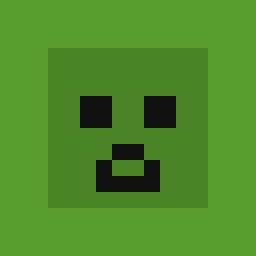
Block art
Creeper face
Wool palette · 32 blocks wide
Original
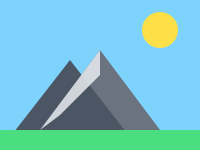
Block art
Mountain landscape
Full Blocks · dithering · 64 wide
Original
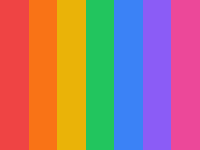
Block art
Color gradient
Concrete palette · 48 blocks wide
How it works
How to make Minecraft map art from an image
Upload an image, choose the size and palette, preview how it resolves into map-art blocks, then use the material counts and PNG reference to build it in-game.
- 01
Upload your image
PNG, JPG, or WebP.
local file
- 02
Choose output size and Minecraft map art palette.
Choose output size and Minecraft map art palette.
4 palettes
- 03
Preview the map-art block grid and material counts.
Preview the map-art block grid and material counts.
live preview
- 04
Export PNG or copy the material list.
Export PNG or copy the material list.
build-ready
Why use this converter
Focused on Minecraft map art constraints
Built for map-view results
The page targets art that should look right when viewed through Minecraft map items, not just on a wall.
Color choice matters more
Map art depends on how Minecraft renders block colors on maps, not only how blocks look in world.
Scale before detail
Preview the size and total count so you can balance 128x128 map readability against build effort.
Material list for survival map art
Map art can become material-heavy quickly, so block counts are surfaced before export.
PNG reference for placement
Export a reference image that builders can follow row by row while placing blocks.
Browser-only conversion
Test images and palette settings without sending the source file to a server.
Who uses it
Map art projects this page supports
In-game poster maps
Create artwork intended to be displayed through item frames using Minecraft map items.
Server lobby displays
Plan logo walls and themed map displays before assigning materials to builders.
Large flat map surfaces
Estimate scale and block count for bigger map-art layouts before committing to a build.
Minecraft Map Art Generator FAQ
Answers about map item colors, 128x128 map art, regular wall art differences, material planning, and browser privacy.
01What is Minecraft map art?
Minecraft map art is artwork built in the world so it displays correctly on an in-game map item. Since maps use their own color palette, block choice matters more than in regular wall art.
02How is map art different from regular block art?
Regular block art is judged by looking directly at the blocks. Map art is judged by how Minecraft renders those blocks on a map item, so the best block for a color may not be the block that looks closest in-world.
03Is Minecraft map art always 128x128 blocks?
A single Minecraft map is 128x128 pixels, so many map art projects start from that size. Larger projects can use multiple maps, but the material cost rises quickly.
04Is this tool free?
Yes. Convert, preview, copy the material list, and export PNG are all free with no sign-up and no watermark.
05Does my image stay on my device?
Yes. All processing runs in your browser. Your image is never sent to any server.