Minecraft Mural Generator
Turn any image into a large Minecraft wall mural with a block-accurate grid, material counts, and a PNG reference you can follow row by row.
Converter
Upload, tune, preview, export
Drag & drop a file here
PNG, JPG, JPEG, and WebP are supported. Your file is processed locally in your browser and never sent to a server.
Preview mural scale before you build
Compare examples at different widths to see how much detail survives in a large Minecraft wall mural.
Original
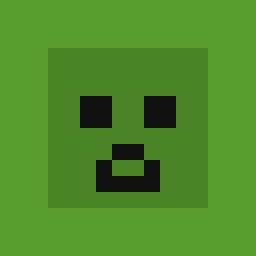
Block art
Creeper face
Wool palette · 32 blocks wide
Original
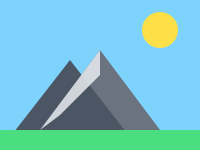
Block art
Mountain landscape
Full Blocks · dithering · 64 wide
Original
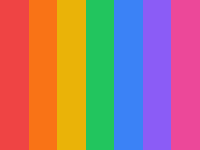
Block art
Color gradient
Concrete palette · 48 blocks wide
How it works
How to turn an image into a Minecraft mural
Upload the reference, choose a mural width, preview the wall grid, then use the PNG guide and block counts to build the mural row by row.
- 01
Upload your reference image.
Upload your reference image.
local file
- 02
Choose mural width
up to 128 blocks.
4 palettes
- 03
Preview the wall mural grid and material count.
Preview the wall mural grid and material count.
live preview
- 04
Export the PNG guide or copy the material list.
Export the PNG guide or copy the material list.
build-ready
Why use this converter
Built for large-scale mural planning
Scale decisions come first
Choose a block width that fits your wall and preview how much image detail the mural keeps.
Counts prevent surprise grind
Large murals can require thousands of blocks, so block count belongs in the planning process.
Palette affects viewing distance
Full Blocks can preserve detail, while Concrete keeps bold shapes cleaner from far away.
Reference image for row work
Export a PNG reference that can be followed row by row during long wall builds.
Good for teams
Use the grid and counts to split mural construction across multiple builders.
No upload required
Try large mural settings in the browser without sending the source image to a server.
Who uses it
Mural builds this page is for
Base and city wall murals
Plan decorative wall art for survival bases, creative cities, and themed builds.
Event and server artwork
Turn event graphics or community art into a shared construction reference.
Long-distance viewing
Choose a size and palette that reads well when players view the mural from far away.
Minecraft Mural Generator FAQ
Answers about wall mural size, viewing distance, palette choice, material counts, PNG export, and browser privacy.
01What is a Minecraft mural?
A mural is a large pixel art image built on a flat wall or surface in Minecraft. Murals are usually viewed from a distance, so block color accuracy matters more than fine detail.
02What width should I use for a mural?
Common mural widths are 64–128 blocks. Larger murals take more materials but look better from a distance. The converter shows you total block count so you can plan before committing.
03How do I build a Minecraft mural from an image?
Upload the image, choose a mural width that fits your wall, then follow the exported PNG reference row by row. Use the material list to gather blocks before you start placing them.
04Which palette works best for murals?
Full Blocks gives the widest color range and tends to produce the most detailed murals. Concrete works well if you want clean, solid colors. Terracotta gives a warm, earthy look.
05Is this free?
Yes. Upload, convert, preview, copy the material list, and export PNG are all free with no sign-up and no watermark.